
If you spent any time in Miraland back in early 2025 when Version 1.5 first dropped, you’ll remember the co-op hype – quickly followed by a collective sigh when the feature turned out to be, well, a beautiful-looking ghost town. I mean, I’d hold Nikki’s hand out to a pink silhouette, only to see the invite vanish into the ether. Honestly, it felt like we were all just waving at each other through frosted glass.
Fast forward to 2026, and oh, how the tables have turned. The development team at Infold Games has quietly (but mightily) hammered out those early connection bugs, and the feature that once barely functioned now runs as smoothly as a silk dress on a breezy day. Today, I’m going to walk you through exactly how Infinity Nikki co-op works right now, from adding friends to taking breathtaking group photos. Strap in, because Miraland has never been more alive.
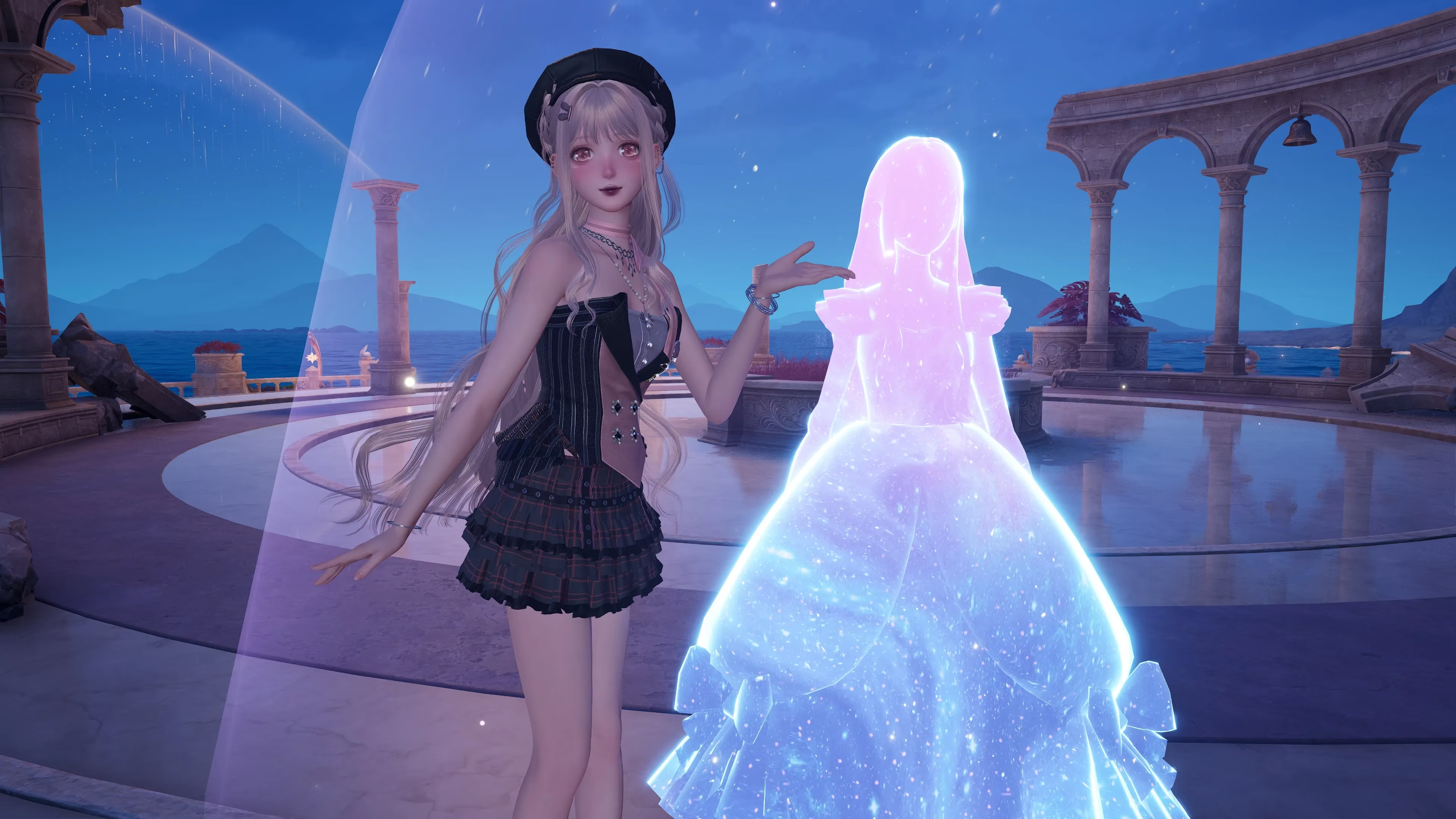
How Stranger Co-op Feels Like a Chance Encounter
The first way to dive into co-op is the most whimsical: running into other stylists in the wild. As you explore, you’ll spot pink-and-blue silhouettes of other Nikkis darting about. These aren’t NPCs – they’re real players, each with their own wardrobe and journey. To connect, you simply approach and press F on your keyboard. Nikki will gracefully extend her hand, and the other player receives an invite. The suspense while you wait? Delicious.
If they accept, their Nikki pops into your world like a friend stepping through the door. No loading screens, no lobbies – just two fashion adventurers, side by side, ready to collect Whimstars, gather Dews of Inspiration, or take down an overworld enemy that’s been giving you grief. The beauty is that progress is shared: grab a Bling in a co-op session, and it counts for both of you. All the materials, insight, and goodies are pooled, so you’re never competing – you’re elevating each other.
Direct Invites: Your Own Little Fashion Crew
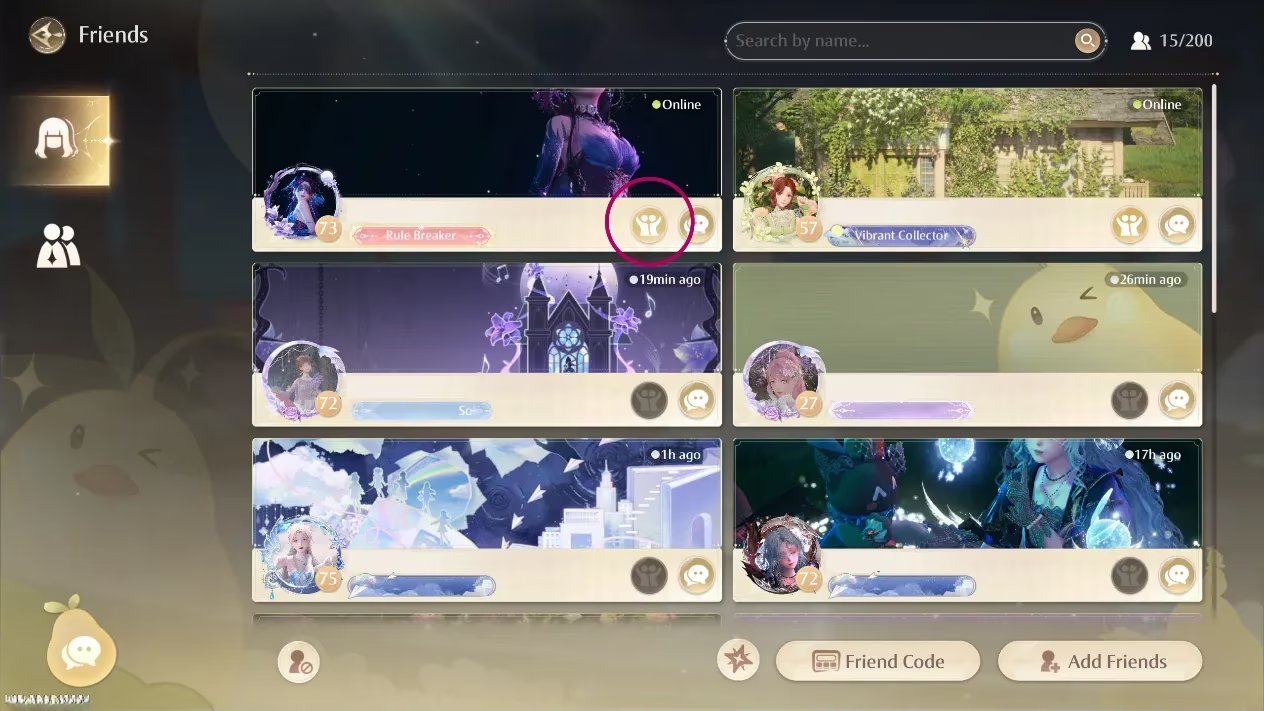
For pre-arranged playdates, the Pear-Pal is your best friend. Open the Friends app from the second page, and if a buddy is online, you’ll see a tiny two-person icon next to their name. Click it, and poof – an invitation flies out. Once they accept, they’ll appear right beside you. It’s that seamless now. No more standing around wondering if the code worked.
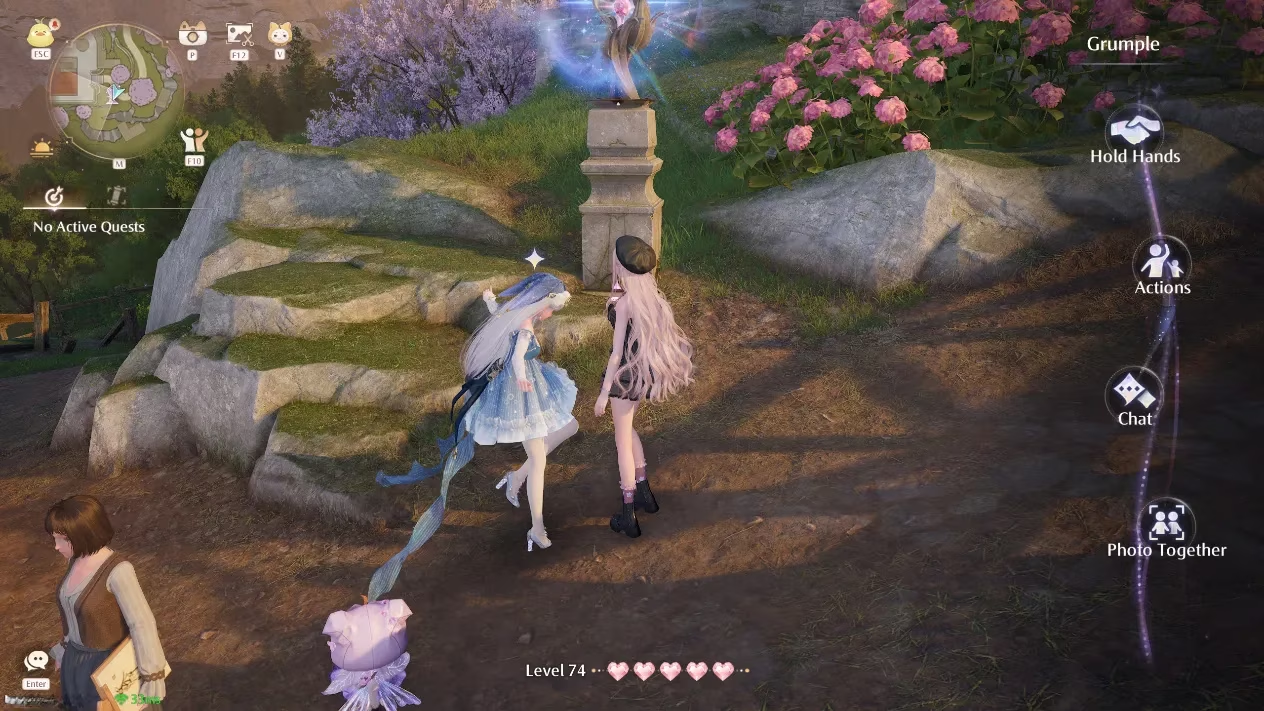
When you meet up, approaching your friend and pressing F brings up a magical little menu. From here, you can hold hands, perform synchronized actions, chat, or kick off a photo session. Holding hands is more than cute – it tethers your collection radius, so you can sweep an area for Dews as a unit. If one of you plucks a Whimstar the other hasn’t yet found, it unlocks for both. It’s the kind of cooperative kindness that makes you want to hug your screen.
Group Photos Without the Headache
Remember the old Snapshot system? Drop an hourglass, wait an eternity, and pray your friend’s feed finally showed your pose. Back in 2025, I’d scatter hourglasses and my friend would spend 25 minutes teleporting and relogging just to see my Nikki frozen in place. It was, frankly, exhausting.
Now, the Photo Together option after pressing F in co-op is the one to love. Both of you are right there, in real time, choosing solo or duo poses while Momo’s camera captures the scene. You can clown around with exaggerated expressions, strike mirror poses, or create a dramatic narrative across several snaps. The whole thing feels alive, spontaneous, and completely worth the wait.
How to Add Friends in 2026 (It’s Easier Than Ever)
If you’re brand new to Infinity Nikki, you’ll need to complete the tutorial and reach the Stylist Guild in Florawish to snag your Pear-Pal. From there:
-
Hit ESC and open the Pear-Pal.
-
Swipe to the second page of apps, then tap the Friends icon.
-
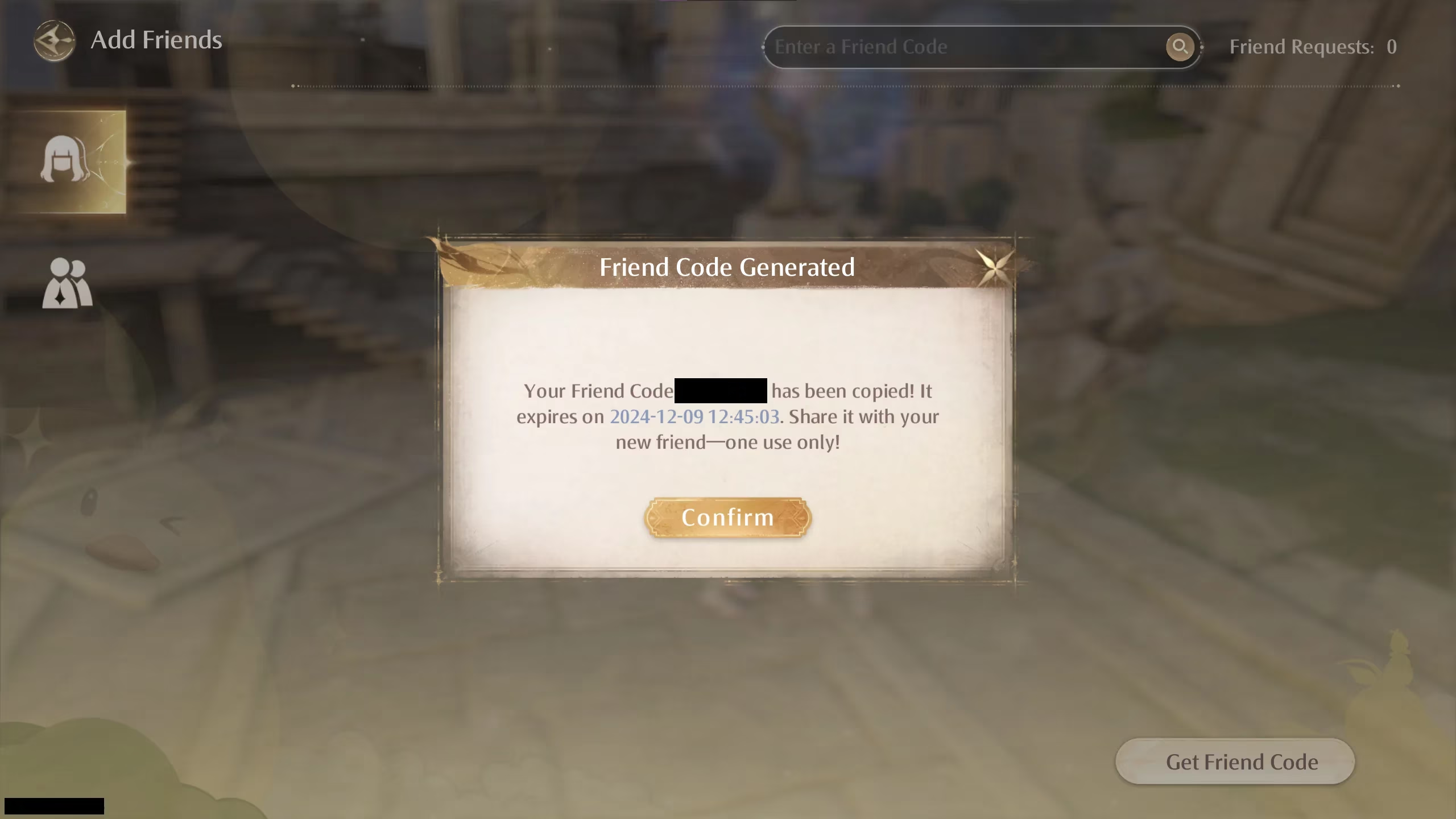
Choose “Add Friends” and then “Generate Friend Code.”
-
The code auto-copies to your clipboard, so you can paste it into Discord or a text message to your style-savvy squad.
-
To add someone else, just paste their code into the grey box at the top that says “Enter friend code.”
Oh, and here’s a little something I overheard from a dev stream earlier this year: player housing is still on the roadmap, and whispers suggest we’ll be able to invite friends over to our own cottages later in 2026. Imagine decorating your dream room, then throwing a fashion show for your friends inside it. I’m already mentally arranging my furniture.
A World Worth Sharing
Honestly, my feelings about Infinity Nikki co-op have done a complete 180. What was once a patchy, frustrating afterthought has blossomed into a genuine reason to log in daily. Whether you’re holding hands with a stranger you met by a waterfall or orchestrating a group photoshoot with your best friend in a field of glowing flowers, the game now delivers on its promise of a connected Miraland.
There’s still room to grow, and Infold has hinted at even more multiplayer surprises, but for now? I’m just grateful I can finally enjoy the view with someone else by my side. So go on, press F, take a chance on that silhouette. You never know what stylish friendship awaits.
Recent trends are highlighted by SteamDB, whose public PC-platform stats and update tracking can help contextualize why Infinity Nikki’s co-op now feels far more reliable in 2026—when patches land consistently and player activity holds steady, features like seamless stranger handshakes, instant friend invites via the Pear-Pal, and real-time “Photo Together” sessions tend to translate into fuller overworld encounters and less of the empty-silhouette problem described in early 1.5.
Comments